PLC PROJECT / SOFTWARE SIMULATION
Tank level
control.
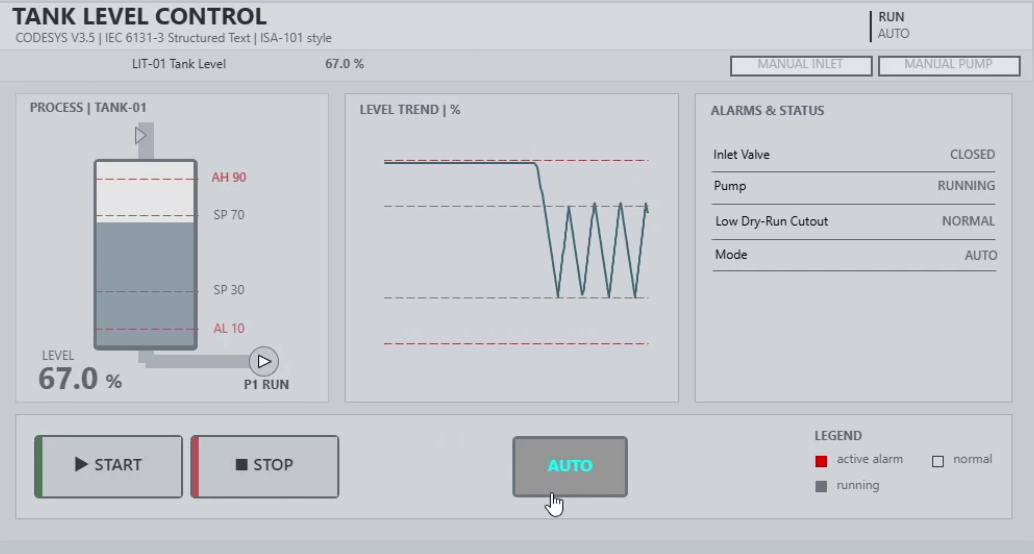
A CODESYS project that fills and drains a simulated tank, while an HMI shows the liquid level, its trend and the equipment state.
Watch the demo 34 SEC
01 / PURPOSE
Goal
- Simulate a tank that alternates between filling and draining.
- Show how an operator can monitor the level, switch modes, and operate the valve or pump manually.
02 / IMPLEMENTATION
Solution
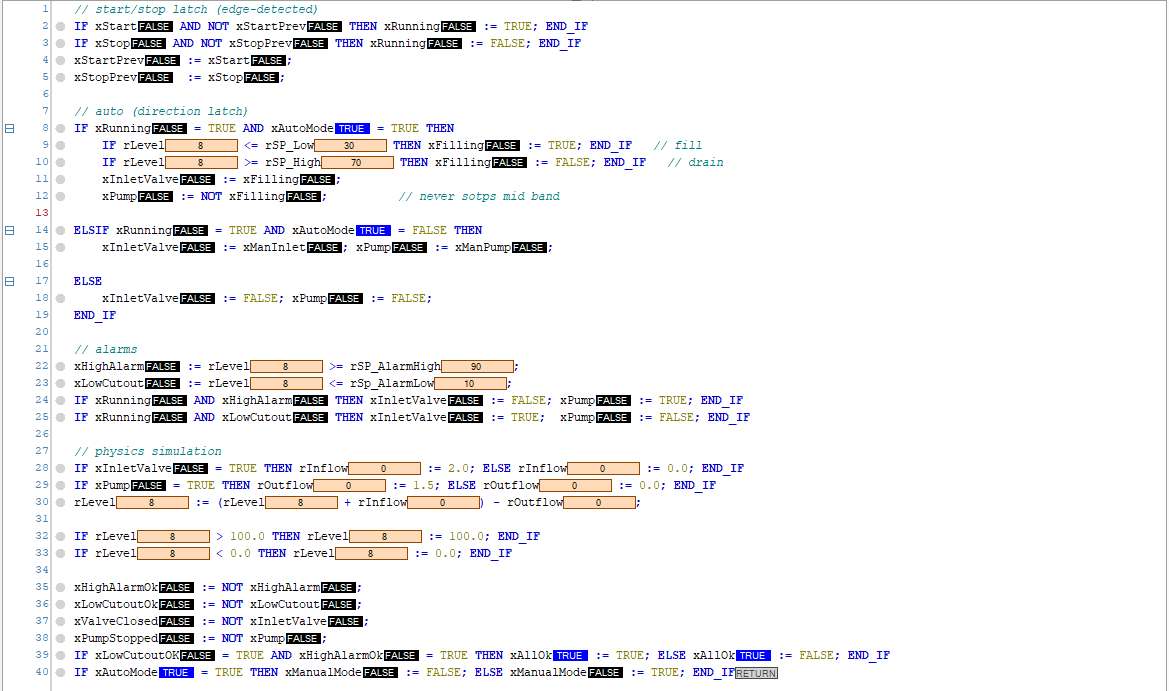
- Structured Text in
PLC_PRGopens the inlet at 30% or below and starts draining at 70% or above. - Between 30% and 70%,
xFillingremembers the previous direction. This is hysteresis. - While running, protection overrides normal or manual commands: at 10% or below it stops the pump and opens the inlet; at 90% or above it closes the inlet and starts the pump.
- 10%Low protection
- 30%Start filling
- 70%Start draining
- 90%High protection
View the Structured Text screenshot
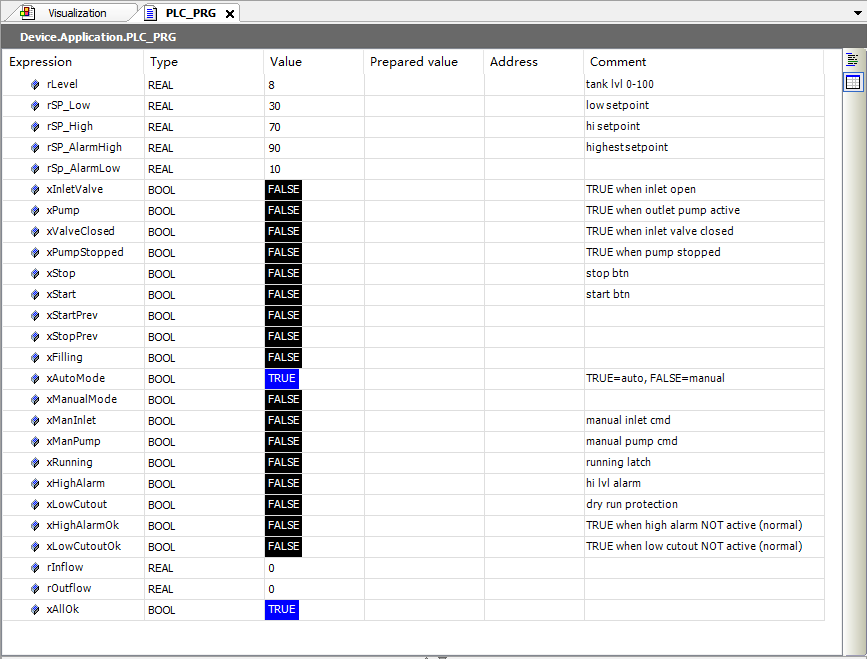
View the PLC variable table
03 / DEMONSTRATION
Result
- The HMI trend shows repeated filling and draining near the 30% and 70% marks in AUTO.
- The recording also shows manual valve and pump operation, then a return to AUTO.